Templates / Business & money / Receipt
Navy and black
Tap a chip. This is the template, not a picture of it. The color is part of the paid version. The free file comes in Ledger.
Receipt Template
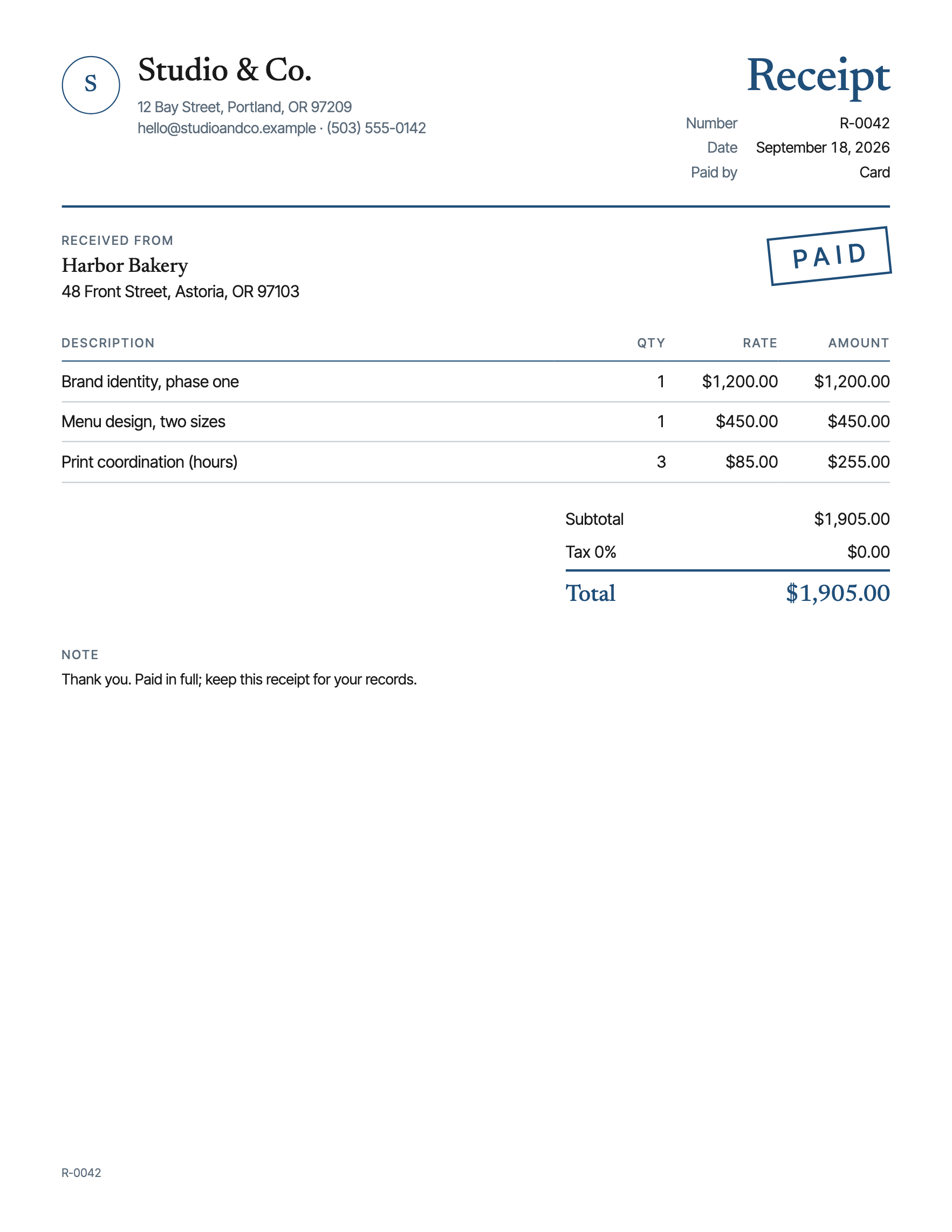
A receipt with your logo, the lines and the totals done for you, how it was paid, and a Paid stamp, in Letter and A4.
Free: one theme and a small credit line at the foot, on Letter paper. On A4 paper instead.
Each paid file is made once, with what you typed, and its link works for a year. A set or the pass gives three makes of each template. Paid once, nothing renews.
One new template a month.
Your download has started. The paper set is yours free too: lined, graph and dot grid, with a name and date line at the top.
- 1 page
- Letter and A4
- 8 themes, one of them light-ink
- Fonts: Newsreader, Inter Tight
- Personal and small-business use
- Print at 100%, not "fit to page", or the margins move. How.
- Plain copier paper is fine.
- Letter or A4? Which paper you have.
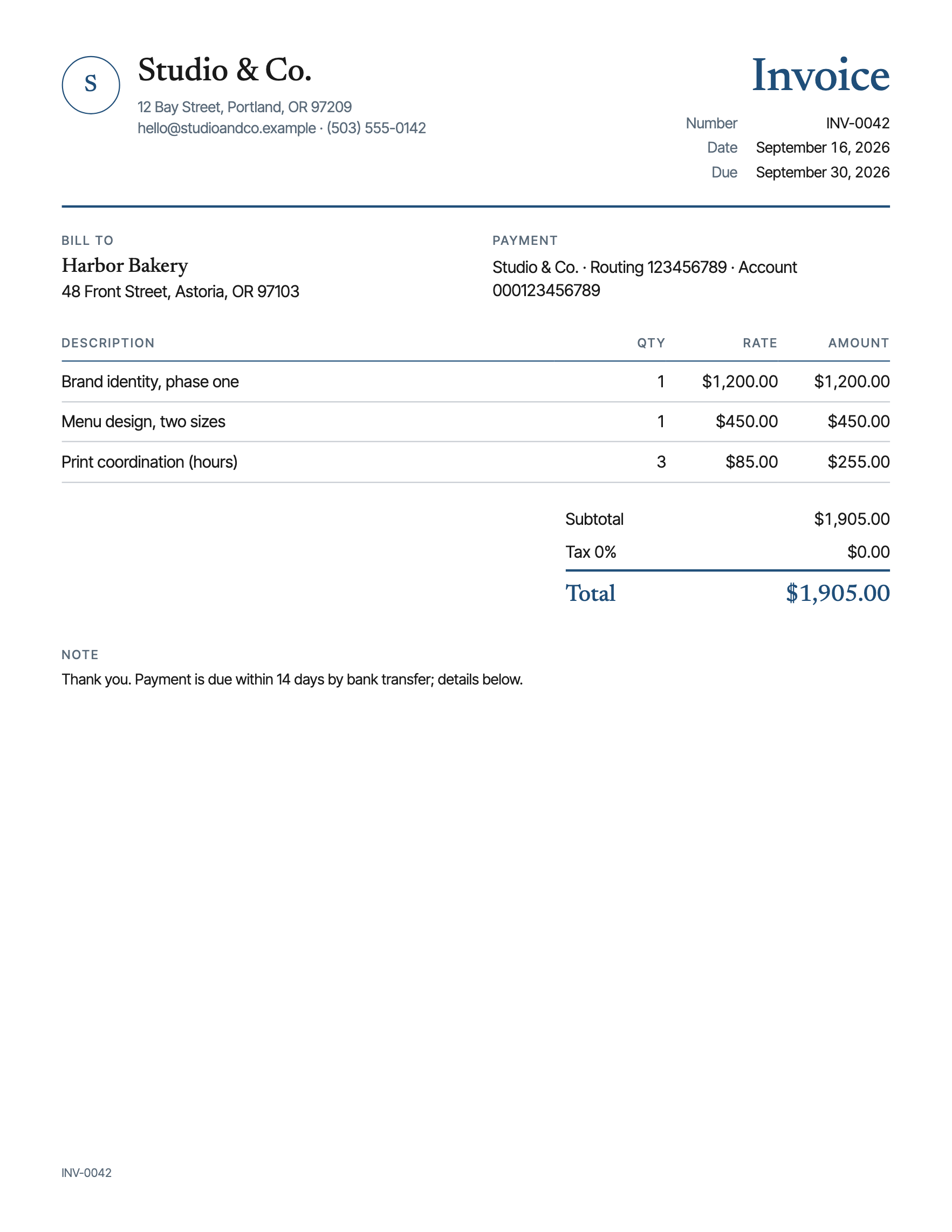
A receipt is the invoice after the money has moved, and it is the one the customer keeps. Most small businesses either do not give one, or hand over the invoice with "PAID" written on it in pen, which is honest but looks like what it is. This one is a receipt: the same lines and totals as the invoice, the method it was paid by, and a stamp that says so, drawn rather than inked, in your colors.
The layout is the invoice's on purpose, so a customer who paid an invoice gets a receipt that matches it. Your business at the top with the logo. The receipt number, the date and how it was paid: card, cash, bank transfer, check, or other. Who paid. Then the lines, up to ten, with the amounts, the subtotal, tax and the total worked out for you, and a short note at the foot.
The stamp is a switch. On, it sits in the top right at a slight angle in the accent color, the way a rubber stamp lands. Off, the sheet is a clean statement of what was paid, for the customer who wants it filed rather than announced.
One of the color themes is light ink, for the office printer. Five currencies with the symbol and the number format that go with each. The totals cannot be typed by hand; only the lines can, so the receipt always matches itself.
Most receipts go out as a PDF by email, but if you print one, plain copier paper is fine and the sheet keeps a half-inch margin. The free version is the same design with the sample business on it and a small credit line at the foot. The paid version takes your logo, your details and your lines, drops the credit line, and comes back in Letter and A4 from one purchase, with a link that works for a year.
The email address on your receipt should end in your own domain. Biz Online Kit, our free guides for getting a small business online, shows how to set that up in one evening.
Does it add up the totals for me?
Yes. Type a quantity and a rate for each line and the line totals, subtotal, tax and total are worked out as you go.
How is it different from the invoice?
Same layout on purpose. The receipt has a paid-by line instead of a due date, no payment details, and a Paid stamp on a switch.
Which payment methods does it list?
Card, cash, bank transfer, check, or other, as a setting. It prints beside the date.
Which currencies does it handle?
US dollars, euros, pounds, and Canadian and Australian dollars, with the symbol and the number format that go with each.
Can I use it for my business?
Yes. The paid version includes small-business use. What you cannot do is resell the template itself. The license page says exactly that.
Is there a subscription?
No. You pay once for the file. There is nothing to cancel.